 Greetings,
This week I am blogging about how to get a free e-mail account. There are a lot of teachers and people who do not know that they can get an email account for free. I personally use http://www.mail.yahoo.com/ http://www.gmail.com/ and http://www.hotmail.com/ accounts. The reason you want a free e-mail account is you can send pictures, audios, videos and interesting web sites to all your family and friends. Remember it's all for free. You can also choose your own e-mail screen name.
I like googles email account (Gmail) because you can send an attachment up to 25MB in size. Do you remember about 10 -20 years ago when we use to use save documents on plastic 3.5 inch floppy disks?
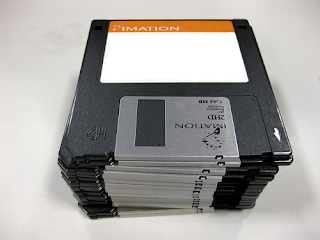 25MB is equal to almost 18 3.5 inch floppy disks. It's amazing how far technology has advanced.
 Another reason I like using yahoo.com is because yahoo has an instant messenger (IM). With the instant messenger download application you can chat in real time with family and friends that have the same yahoo instant messenger. You can also use it with your web camera and see the other person in real time while chatting with them. I hear you can use http://www.skype.com/ to do the same thing.
Try these free e-mail accounts and let me know which ones you like best. Next week I will be blogging about how to access free books audio books, music Cd's, DVDs and more. See you next week.


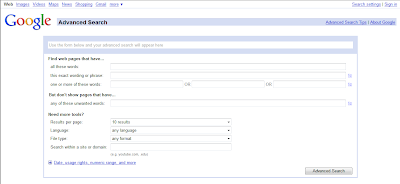
 For example, let’s say you are looking for an interactive flash web site when teaching a concept or objective; all you have to do is pull down the drop down box and choose
